When you get down to it, the OPC DA vs OPC UA debate comes down to one thing: choosing between a legacy protocol locked into the past and a modern framework built for the future.
OPC DA is a product of a different era, with major security and platform limitations. In contrast, OPC UA was engineered from the ground up for the secure, scalable, and interconnected world of modern industry.
OPC DA vs OPC UA: The Core Differences
Choosing between OPC DA (Data Access) and OPC UA (Unified Architecture) will define your system’s security, flexibility, and long-term viability. While both are meant to standardize data communication, they couldn't be more different under the hood.
OPC DA, a cornerstone of the original OPC Classic suite, is completely dependent on Microsoft's retired COM/DCOM technology. This tethers it exclusively to the Windows ecosystem. For any engineer who has wrestled with DCOM settings just to punch through a firewall, you know the headaches this causes.
OPC UA is a different story entirely. It’s built on a modern, service-oriented architecture that uses standard network protocols like TCP/IP and HTTPS. This makes it truly platform-independent. You can run an OPC UA server on a Linux edge device, a Windows HMI, or a cloud server without a problem.
OPC DA vs OPC UA At A Glance
This table gives you a quick snapshot of the key differentiators before we dive deeper into the technical specifics.
Rich, object-oriented information models with context
Firewall Friendliness
Poor; DCOM uses a wide range of dynamic ports
Excellent; Uses a single, configurable port
As you can see, the architectural philosophies are worlds apart, leading to very different outcomes in real-world applications.
Industry Adoption And Trends
The industry has already made its choice. OPC UA has seen explosive growth, with installations climbing at a 25% CAGR since its introduction.
By 2023, the number of OPC UA endpoints hit 1.2 million, easily outpacing the stagnant 800,000 legacy DA servers. This massive shift is fueled by the demands of IIoT and smart manufacturing, as detailed in recent industrial automation reports.
OPC DA was a product of its time—functional for isolated, Windows-centric control networks. OPC UA, however, was designed for the future—a world where data must move securely from the sensor to the cloud, regardless of the underlying hardware or operating system.
This core architectural divide drives nearly every practical difference in the OPC DA vs OPC UA comparison. It's a decision that often reflects a plant's entire automation philosophy, much like choosing between SCADA vs DCS systems.
Breaking Down the Architectural Divide
To really get to the heart of the OPC DA vs. OPC UA debate, you have to look under the hood at how they were built. The core architectural difference is what separates a rigid, Windows-only protocol from a flexible, modern communication framework. It’s the reason one is a source of constant headaches and the other is built for the future.
OPC DA is built entirely on Microsoft’s Component Object Model (COM) and its network-savvy sibling, Distributed COM (DCOM). For its time, this worked. But it came with some serious baggage that still trips people up today.
Because COM/DCOM is a proprietary Windows technology, OPC DA is completely tethered to that operating system. That means no running on Linux servers, no macOS workstations, and definitely no connecting to the thousands of embedded devices that run the modern factory floor.
The Headaches of DCOM
Anyone who has worked with OPC DA has a DCOM story. Its reliance on DCOM is the source of legendary frustration for controls engineers and IT teams alike. Why? Because DCOM communication requires a wide and often unpredictable range of TCP ports to work, creating a nightmare for firewall configuration.
I’ve seen system integrators lose days on a project just wrestling with DCOM permissions and firewall rules to get two machines to communicate. It's a fragile, complex system that simply wasn't designed for the security-focused, interconnected networks we rely on now.
Think of DCOM as a rigid, proprietary pipeline. It only fits specific Windows-to-Windows connections. It’s brittle, a pain to configure, and totally inflexible. If you need to connect anything else, you’re just out of luck.
This architectural dead-end puts a hard ceiling on what you can accomplish with your industrial data. For any company looking into modern industrial controls and automation, being locked into a single vendor's OS is a major strategic handicap.
OPC UA: The Modern Service-Oriented Approach
Now, contrast that with OPC UA, which was built from the ground up with a modern Service-Oriented Architecture (SOA). It doesn’t lean on any proprietary OS components. Instead, it uses standard, universally understood network protocols.
This modern design is what gives OPC UA its killer feature: platform independence. An OPC UA server or client can run on pretty much any system you can think of:
Enterprise-grade Windows servers
Linux machines, whether in a data center or on the plant floor
macOS computers used for development or monitoring
Real-time operating systems (RTOS) on embedded devices and sensors
Cloud platforms from AWS, Azure, Google, and others
OPC UA pulls this off by using common transports like binary TCP for high-speed performance and web-friendly protocols like HTTPS. This means all communication happens over a single, configurable port, making it incredibly firewall-friendly. A network admin can open one port to allow secure OPC UA traffic, a world away from the guesswork of DCOM's port ranges.
The result is an architecture that fits perfectly with the goals of Industry 4.0 and the IIoT. It’s designed for secure, reliable communication from the smallest sensor on the edge all the way to the most powerful server in the cloud.
If DCOM is that rigid proprietary pipeline, OPC UA is more like a set of universal plumbing adapters. It uses standard fittings (TCP/IP, HTTPS) to connect any system to any other, no matter the manufacturer, OS, or location. This flexibility isn't just a nice-to-have; it's a fundamental requirement for building modern industrial systems.
Evaluating Security and Data Integrity
When you pit OPC DA vs OPC UA, the conversation always lands on security. It’s the single biggest area where OPC DA's legacy design falls apart in a modern industrial setting.
OPC DA was simply not built for the cybersecurity threats we face today. Its entire security model hangs on Microsoft's DCOM, which means wrestling with complex Access Control Lists (ACLs) and Windows user permissions. It's a notoriously brittle system where one wrong click can throw the doors to your control network wide open.
The Fragility of DCOM Security
The fundamental problem? Security isn't part of OPC DA; it's a clunky, external layer bolted on afterward. This creates massive headaches in the real world.
For starters, there is zero built-in encryption. Every piece of data sent between an OPC DA client and server is plain text. Anyone with a foothold on your network can read sensitive process values or, even worse, start changing them.
Authentication is another major weak point, as it's tied directly to Windows user accounts. This forces a painful collaboration between IT and OT to manage permissions across machines. More often than not, it results in dangerously broad permissions just to get things working—a common failure point that can expose an entire plant.
Relying on DCOM for security is like leaving your front door unlocked and hoping no one tries to open it. It offers a false sense of protection that crumbles under the slightest pressure from modern cyber threats. For any system connected to a broader network, this is an unacceptable risk.
OPC DA has been around since 1995, built on the COM/DCOM technology of its day. But that deep dependence on a Windows-only framework has caused lasting problems. In fact, deployment analyses often found that wrestling with DCOM configuration meant up to 70% of setup time was wasted on firewall tweaks and security workarounds. You can dig into the specifics in this in-depth ABB technical overview.
OPC UA’s Modern, Multi-Layered Security Framework
This is where OPC UA completely changes the game. It was engineered from the ground up with security at its very core, with no reliance on any underlying operating system for protection. OPC UA delivers a complete, multi-layered security model built to handle the full spectrum of industrial cyber threats.
This integrated framework is the deciding factor in the OPC DA vs OPC UA debate for any connected operation. It gives you robust protections that are simply impossible to achieve with OPC Classic.
OPC UA’s security model includes:
Authentication: Uses X.509 certificates to create a trusted connection between clients and servers. This ensures only authorized applications and users can get in.
Encryption: All communication can be encrypted with modern standards like AES-256, protecting data confidentiality and integrity as it travels across the network.
Authorization: Gives you granular control over user permissions. You can define exactly who can read specific tags, write to others, or execute methods on a per-user or per-group basis.
Auditing: Provides a detailed log of all security-related events—session creations, failed logins, and configuration changes—giving you a clear trail for troubleshooting or forensic analysis.
Because this is all built-in, OPC UA is not only more secure but also far easier to manage. Instead of fighting with obscure DCOM settings, administrators configure security directly within the OPC UA application. This creates a reliable and consistent security posture on any platform—Windows, Linux, or even small embedded devices.
For any secure industrial application in 2026 and beyond, OPC UA isn’t just the better choice. It's the only viable one.
Moving from Flat Tags to Rich Information Models
The debate between OPC DA and OPC UA goes way beyond networking protocols and security certificates. The real story—the part that changes everything for system integrators and plant managers—is how they handle the data itself.
This is the core difference between just having raw data and having actual, usable information.
For decades, OPC DA worked with a simple, flat tag structure. It was functional, and it was what we knew. Every piece of data was just a standalone variable with its three core attributes: a value, a quality status, and a timestamp.
This "VQT" model is direct, but it's completely devoid of context. A tag named PMP101_PSI gives you a number, but that's it. An engineer has to know, or be told, that this tag refers to the discharge pressure for Pump 101. This creates a massive gap between the data and its real-world meaning.
The Headaches of a Flat Namespace
Working with an OPC DA tag list is like getting a spreadsheet with thousands of numbers but no column headers. You have the data points, but you have no clue what they mean or how they relate to each other.
This reality forces engineers and integrators to burn countless hours manually mapping tags and building context inside their HMI, SCADA, or historian software. The controls engineer knows PMP101_PSI is the pressure for a specific pump, but the HMI developer has to be told this and then painstakingly program that connection by hand.
In OPC DA, the data is dumb. It has no self-awareness. It relies entirely on human tribal knowledge to give it meaning—a process that is slow, prone to errors, and simply doesn't scale for modern, complex systems.
This manual "stitching" of data is a classic source of project delays and blown budgets. Every time a new device is added or a tag name is changed upstream, the whole fragile chain of manual connections is at risk of breaking. It's a brittle system that gets in the way of true interoperability.
OPC UA Information Models: The Game Changer
This is where OPC UA delivers its knockout punch: information modeling. Instead of a flat list of disconnected tags, OPC UA uses a modern, object-oriented approach. It builds a structured, contextualized digital twin of your real-world assets.
It doesn’t just provide data; it provides information.
An OPC UA information model lets you define a standardized "type" for something like a pump. This "PumpType" isn't just a messy folder of tags; it's a complete, intelligent digital object.
A standard PumpType object would bundle everything together:
Properties: Static data like Manufacturer, ModelNumber, and SerialNumber.
Data Variables: Real-time values such as DischargePressure, FlowRate, and MotorTemperature, complete with engineering units and metadata.
Methods: Executable functions like Start(), Stop(), and SetSpeed(targetSpeed), letting a client application command the asset directly.
Alarms & Events: Standardized notifications for critical conditions like a HighPressureAlarm or a MotorOverloadFault.
Once you define this PumpType, you can create instances for every pump on your plant floor—Pump101, Pump102, and so on. When an OPC UA client connects and discovers Pump101, it doesn't just see a cryptic tag list. It instantly understands that this is a pump and automatically knows its properties, live data points, and the commands it can execute.
This is what enables true plug-and-play integration. A new HMI screen or analytics application can connect to an OPC UA server and immediately recognize and interact with all the pumps without any custom engineering. This reduces integration time from weeks to mere hours.
The power of information modeling is why the industry has rallied behind UA. Groups like the VDMA are creating "Companion Specifications"—standardized OPC UA information models for specific machine types, from injection molding machines to robots. When a machine builder adopts a companion spec, their equipment is instantly interoperable with any system that understands that standard. In the OPC DA vs OPC UA comparison, this capability single-handedly unlocks a level of efficiency and integration that DA could never hope to achieve.
Making the Right Call: OPC DA vs. OPC UA for Your Project
Choosing between OPC DA and OPC UA isn't just a technical detail; it’s a foundational decision that will shape your project's budget, timeline, and future capabilities. This isn't about simply picking the newer standard. It's about matching the protocol's DNA to your project's real-world demands.
Let's be direct. For any new installation, plant expansion, or system that needs to talk to the cloud or corporate network, the conversation starts and ends with OPC UA. Its modern security, ability to run on any platform, and sophisticated data modeling are simply essential for today’s industrial environments.
What about that old, isolated system running on a Windows XP machine in the corner? If a full rip-and-replace isn't in the budget, keeping OPC DA running behind a secure gateway can be a practical stop-gap. Think of it as a temporary bridge, not a long-term home. It isolates the risk while letting you pull data into a modern architecture.
The Project Manager's Checklist
Before you commit, run through these key questions. The answers will point you to the right path faster than any spec sheet.
Will this system ever need to share data beyond its immediate control network?
Is end-to-end encryption an absolute must-have for security and compliance?
Are you dealing with non-Windows devices like Linux servers, cloud platforms, or embedded controllers?
Do you need to plan for future growth, adding more machines or data points down the road?
Is the goal to share rich, contextual data—like asset models and maintenance status—with MES or ERP systems, not just raw values?
Are you on a tight schedule where fighting with DCOM and firewall rules is a risk you can't afford?
If you found yourself nodding "yes" to even one of these, OPC UA is built to handle your requirements. Sticking with OPC DA would mean introducing significant technical debt and security gaps from day one.
Decision Matrix: OPC DA vs OPC UA
To make this even clearer, this matrix breaks down the decision based on common scenarios we see in the field every day. It's less about a generic feature list and more about concrete recommendations for your project.
Project Requirement
Recommended Protocol
Justification & Key Considerations
New Greenfield Plant or Production Line
OPC UA
Starting a brand-new project with a legacy protocol is a non-starter. OPC UA is about future-proofing, robust security, and seamless integration from the get-go.
Connecting an Isolated Legacy HMI to a PLC
OPC DA (with caution)
If the system is truly air-gapped and will never touch the enterprise network, OPC DA can work. But you're creating a technical island that will be a headache to upgrade later.
Bridging Plant Floor Data to a Cloud Platform
OPC UA
OPC DA is simply not an option here. OPC UA’s firewall-friendly design, platform independence, and built-in security are non-negotiable for any IIoT or cloud application.
Integrating Machines from Multiple Vendors
OPC UA
OPC UA's information models and companion specs deliver true plug-and-play interoperability. This drastically cuts down the time spent integrating equipment from different suppliers.
Upgrading a System with Strict Cybersecurity Mandates
OPC UA
The reliance of OPC DA on DCOM is a well-known vulnerability. OPC UA's modern encryption, authentication, and user access control are mandatory for any secure environment.
The choice between OPC DA vs OPC UA is fundamentally a strategic one. Choosing OPC DA in 2026 is a short-term patch that compromises your future. Opting for OPC UA is an investment in a secure, scalable, and interoperable foundation that will pay dividends for years.
Ultimately, your choice will define your plant’s digital potential. For most facilities with a mix of old and new gear, a phased migration is the most sensible path. Use gateways to expose your legacy DA data through a secure UA server. This strategy protects your existing investments while you build out a modern, unified architecture for the future.
Practical Migration Strategies from DA to UA
If your facility is one of the thousands still running on OPC DA, the thought of a full "rip-and-replace" upgrade is probably a non-starter. It’s expensive, disruptive, and often just not realistic.
The good news is you don't have to. A phased migration is the only sensible path forward, letting you tap into OPC UA’s benefits without grinding operations to a halt. The whole idea is to build a solid bridge from your legacy equipment to your modern network.
Two tools make this possible: wrappers and gateways. Think of them as translators that teach your old OPC DA servers to speak the secure, modern language of OPC UA.
Understanding Wrappers and Gateways
An OPC UA Wrapper is a piece of software you install on or next to an existing OPC DA server. It essentially "wraps" the old COM-based server and exposes its data through a brand-new, secure OPC UA endpoint. It’s a fast and direct way to modernize a single machine’s data access without touching the underlying control logic.
An aggregator gateway takes that idea and scales it up. Instead of wrapping just one server, a gateway connects to many OPC DA servers scattered across your plant floor. It pulls all that data together into a single, organized, and secure OPC UA server. This is the perfect approach for cleaning up a complex environment with dozens of separate legacy systems.
A gateway strategy is like creating a central, secure customs checkpoint for all your plant data. Instead of managing dozens of unsecured entry points (DA servers), you direct everything through one modern, easily managed OPC UA endpoint that can safely connect to your enterprise network and cloud services.
This flowchart shows how a gateway acts as the critical link between your old iron and your new projects.
As you can see, the gateway isolates the legacy equipment while giving all new development a standard UA interface to work with.
Your Migration Planning Checklist
A successful migration in the OPC DA vs OPC UA debate comes down to planning. If you rush it, you risk data loss and downtime. Use this checklist as your starting point.
Inventory Your Assets: Make a complete map of all OPC DA servers. Know their locations, the data they provide, and every client application that relies on them.
Define Security Requirements: Figure out what data needs to leave the local control network. Plan your network segments and firewall rules to funnel traffic through a central OPC UA gateway.
Run a Pilot Project: Pick a non-critical system and deploy a wrapper or a small-scale gateway. This is your chance to test the tech and spot potential issues in a low-risk setting.
Develop a Phased Rollout Plan: Don’t try to do everything at once. Group your DA servers by production line or area and migrate them in manageable stages. This minimizes disruption and lets your team build confidence.
Moving from DA to UA is a major step in industrial modernization, fitting into broader legacy system modernization strategies. By using wrappers and gateways, you can bring the security and power of OPC UA to your plant without walking away from the equipment that still works.
If you’re ready to start this journey, our systems integration services can provide the expert guidance you need for a smooth and successful upgrade.
Your Top Questions, Answered
When you're out on the plant floor, the theoretical differences between OPC DA and OPC UA fade away. What really matters are the practical answers to the tough questions that come up during a real-world migration. Let's get straight to them.
Can OPC DA and OPC UA Run Together?
Yes, absolutely. In fact, running them side-by-side is the most common approach for any facility with existing equipment. You don't need a risky, all-at-once changeover. The solution is using software that acts as a translator between the old and the new.
OPC UA Wrappers: Think of this as a quick-fix for a single legacy machine. You install this software on an old OPC DA server, and it "wraps" it, creating a brand new, secure OPC UA endpoint that modern systems can talk to.
OPC Gateways: This is your solution for a larger-scale migration. A gateway connects to all your different OPC DA servers, gathers their data, and presents it all through a single, organized, and secure OPC UA server.
Using these tools lets you upgrade your plant piece by piece. New systems get the benefits of OPC UA, while your trusted legacy gear keeps running without interruption.
Is OPC UA Slower Than OPC DA?
This is a myth we need to put to rest. While a perfectly tuned OPC DA setup on a local Windows network is undeniably fast, a modern OPC UA system is just as quick—and often faster, especially as your network grows.
OPC UA was built for high-speed communication, using an efficient binary protocol that flies on modern TCP networks. When people complain about OPC UA "slowness," it’s almost always a sign of a misconfigured network or poorly implemented security, not a problem with the protocol itself.
Don't let the performance debate distract you. On any modern network, a properly set up OPC UA system will give you all the speed you need, without the glaring security holes and platform restrictions of OPC DA.
Do I Need to Be a Programmer to Use OPC UA?
Definitely not. While developers have a massive toolkit to build custom solutions with OPC UA, most engineers will never need to write a single line of code. Honestly, configuring an OPC UA client and server today is often far easier than fighting with old DCOM security settings.
Modern configuration tools use simple graphical interfaces. You can set up security certificates, browse the data model, and connect devices with a few clicks. The shift from OPC DA's flat tag lists to OPC UA's rich information models means clients can often discover and understand a device's data automatically. In the OPC DA vs OPC UA matchup, today’s tools have made UA infinitely more accessible to the everyday engineer.
Ready to modernize your industrial communication without the headaches? The experts at E & I Sales have decades of experience integrating and upgrading control systems. We can help you build a secure, future-proof architecture that bridges your legacy equipment to modern platforms. Learn more at https://eandisales.com.
Think of industrial controls automation as the central nervous system of a modern factory. It’s the combination of hardware and software that orchestrates everything from a single robotic arm to an entire production line. This isn't about replacing people; it's about replacing manual, repetitive oversight with intelligent, consistent processes that just work.
What Is Industrial Controls Automation?
At its heart, industrial controls automation is about giving machinery a brain. Walk into any advanced manufacturing plant today, and you won't see hundreds of operators flipping switches or turning dials. What you will see is a symphony of motion, precision, and speed, all thanks to a carefully designed network of automated systems.
This is the invisible force that guarantees the thousandth product off the line is identical to the first.
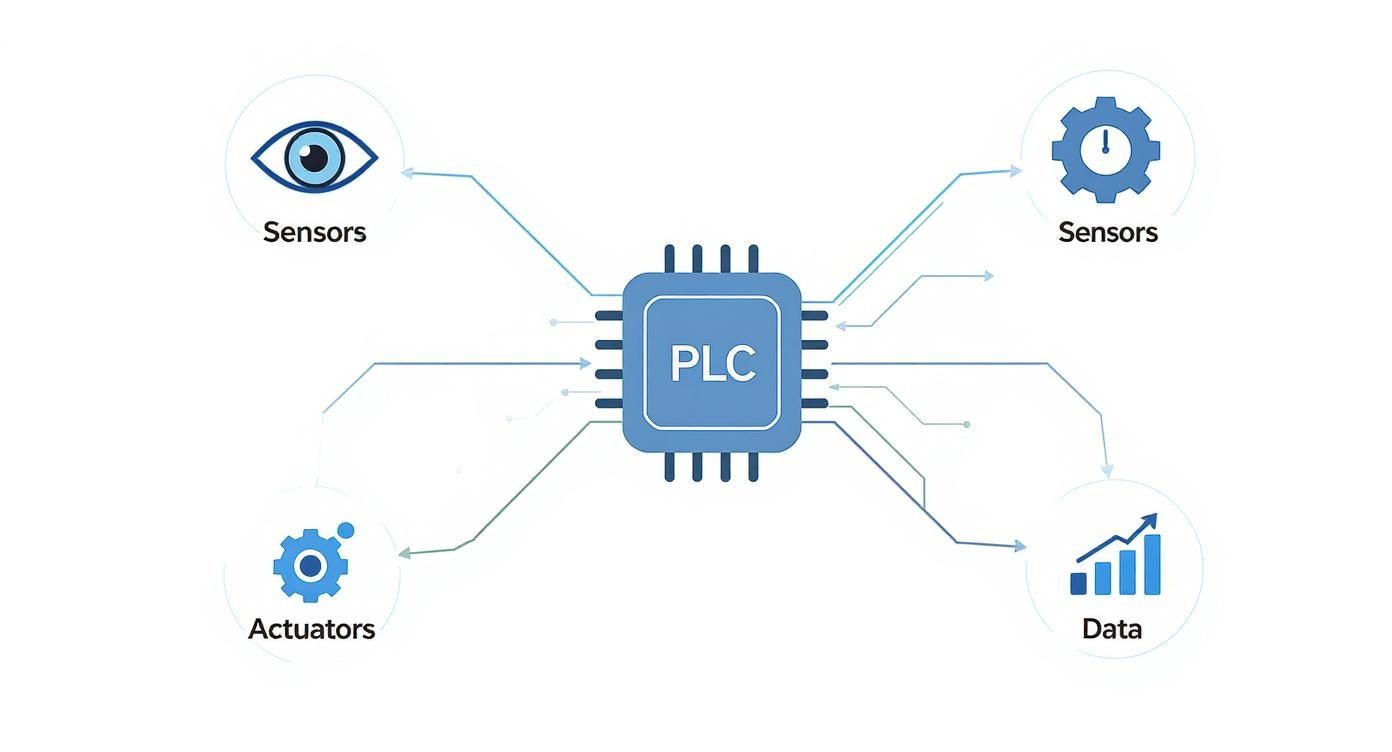
This whole system runs on a simple, continuous loop. Sensors act as the eyes and ears, gathering real-time data on things like temperature, pressure, or position. That information gets sent to the "brain"—usually a Programmable Logic Controller (PLC)—which makes split-second decisions based on its programming. From there, actuators like motors, valves, and grippers act as the "muscles," carrying out those commands with perfect accuracy.
The Driving Force Behind Modern Production
Let's be clear: adopting industrial controls automation isn't just a trend. It's a fundamental shift in how things get made. The main goal is to take human inconsistency out of the equation for repetitive tasks, paving the way for operational excellence.
This explosive growth is happening for one reason: automation delivers tangible, bottom-line results across every sector you can imagine, from car manufacturing to food and beverage packaging.
The real objective of industrial controls automation is simple: to create systems that are more efficient, safer, and more reliable than any manual process could ever be. It’s about achieving predictability in a complex environment.
Core Goals and Business Impact
At the end of the day, any decision to automate is tied directly to clear business goals. While the technology itself can get complex, the reasons for using it are refreshingly straightforward—it’s all about improving the bottom line and making operations more stable.
The table below breaks down the primary objectives that drive automation projects.
Objective
Description
Example Impact
Boost Efficiency & Throughput
Automating processes allows machinery to run faster and longer than humanly possible, often 24/7.
A packaging line that once produced 100 units per hour can now produce 300 with the same footprint.
Improve Product Quality
Automation eliminates human error from assembly and processing, ensuring every product meets exact specifications.
Defect rates in a CNC machining process drop from 3% to less than 0.1%, drastically reducing material waste.
Enhance Workplace Safety
Dangerous, repetitive, or strenuous tasks are handed over to machines, moving people out of harm's way.
Robotic welding cells eliminate worker exposure to harmful fumes, intense light, and high temperatures.
Reduce Operational Costs
Automation cuts long-term costs related to manual labor, rework, material waste, and downtime from errors.
A facility saves thousands per year by automating palletizing, reducing labor costs and injury-related expenses.
Ultimately, a well-implemented automation system is what allows a manufacturer to truly compete. It provides the tools needed to produce high-quality goods quickly, safely, and cost-effectively, which is the name of the game in today's global market.
The Building Blocks of a Control System
At its heart, an industrial control system is a lot like the human body. It has distinct parts that all work in harmony to pull off some pretty complex tasks. To really get a handle on industrial controls automation, you first need to know the core components—the actual hardware that senses what's happening, makes decisions, and then acts with incredible precision.
Picture a modern bottling plant. You’ve got thousands of bottles zipping down a conveyor, getting filled, capped, and labeled, all without a single person laying hands on them. This high-speed choreography is only possible because every piece of the automation puzzle knows exactly what it's supposed to do and when.
This diagram shows how the system's "brain" connects to its "senses" and "muscles."
As you can see, the PLC is the central hub. It's constantly crunching data from sensors to tell actuators what to do, creating a non-stop feedback loop that keeps everything running smoothly.
The Senses of the System: Input Devices
Every automated action has to start with information. Input devices, which are mostly sensors, act as the "senses" of the machine. Their job is to detect what’s going on in the real world and translate those physical conditions into electrical signals the control system can understand.
You'll find all kinds of input devices on a factory floor:
Proximity Sensors: These guys detect if an object is present without actually touching it. Back in our bottling plant, a proximity sensor confirms a bottle is perfectly positioned before the filling nozzle even thinks about activating.
Photoelectric Sensors: Using a beam of light, these can spot objects, check for colors, or even read marks. One might be used to verify a cap is properly twisted onto a bottle before it gets sent down the line.
Temperature and Pressure Sensors: Absolutely vital for process control. In a pasteurization line, these sensors make sure the product hits and holds a specific temperature for just the right amount of time.
Level Sensors: These measure how much liquid or material is in a tank or silo, telling a pump when it's time to kick on or shut off.
Without accurate and reliable data from these devices, the whole system would be flying blind.
The Brain of the Operation: Controllers
If sensors are the senses, then the controller is definitely the brain. This is where all the logic lives. The controller grabs all the incoming signals from the input devices, runs them through its programmed instructions, and then fires off commands to the output devices.
The workhorse controller in most manufacturing is the Programmable Logic Controller (PLC). Think of a PLC as a super-tough industrial computer built to survive the heat, dust, and vibration of a factory. It runs its program in a continuous, lightning-fast loop, making it incredibly reliable for machine control. Everything from the conveyor speed to the exact fill volume is dictated by the PLC's logic. Our internal guide takes a closer look at proper industrial control panel design, where these critical brains are housed.
The Voice and Eyes: The Human-Machine Interface
Even though a system is automated, you still need a human in the loop. The Human-Machine Interface (HMI) is the operator's window into the whole process. It’s usually a touchscreen panel that shows real-time data, alarms, and production status in an easy-to-read graphical format.
An HMI translates complex machine data into actionable information. It allows an operator to monitor the process, adjust settings like production speed, and troubleshoot issues without needing to understand the underlying PLC code.
From the HMI in our bottling plant, an operator could see how many bottles have been filled, get an alert if a capper jams, or switch the entire line over to run a different bottle size with just a few taps.
The Muscles of the Machine: Output Devices
Okay, so a decision has been made. Now what? Something has to physically happen. That's where output devices, or actuators, come in. They are the "muscles" of the system, taking commands from the PLC and turning electrical energy into real-world motion.
A few key output devices include:
Electric Motors: The movers and shakers that power conveyors, pumps, and fans.
Valves: Solenoid valves open and close to control the flow of liquids or gases—like the one dispensing soda into each bottle.
Actuators: These are typically pneumatic or hydraulic cylinders that push, pull, lift, or clamp things. An actuator might be what presses the label onto a finished bottle.
Relays and Contactors: These are essentially heavy-duty switches. They take a small signal from the PLC and use it to turn on and off much bigger equipment, like high-power motors.
Tying all of this together is the system's communication layer. Having a robust network infrastructure is non-negotiable; it's what ensures all these components can talk to each other without a hitch. Together, these building blocks create a cohesive system where every part knows its job, turning simple inputs into complex, high-speed production.
Understanding Control System Architectures
Knowing the individual parts of a control system is one thing. Understanding how they work together as a team is where the real magic happens. The way you organize those parts is the system's architecture, and picking the right one is like setting a formation for a football team—it all comes down to the scale and complexity of the game you’re playing.
You wouldn't use a single, localized controller to manage a sprawling chemical plant, just like you wouldn’t have one quarterback try to run an entire league. The architecture determines how data flows, where decisions get made, and how resilient the whole operation is when things go wrong.
Getting this right is more critical than ever. The industrial automation control market is on track to hit around USD 160 billion by 2029, driven by a global push for smarter, more efficient systems. You can dig into the numbers and trends in this detailed industry analysis from Technavio.
The PLC-Based Approach: Centralized Control
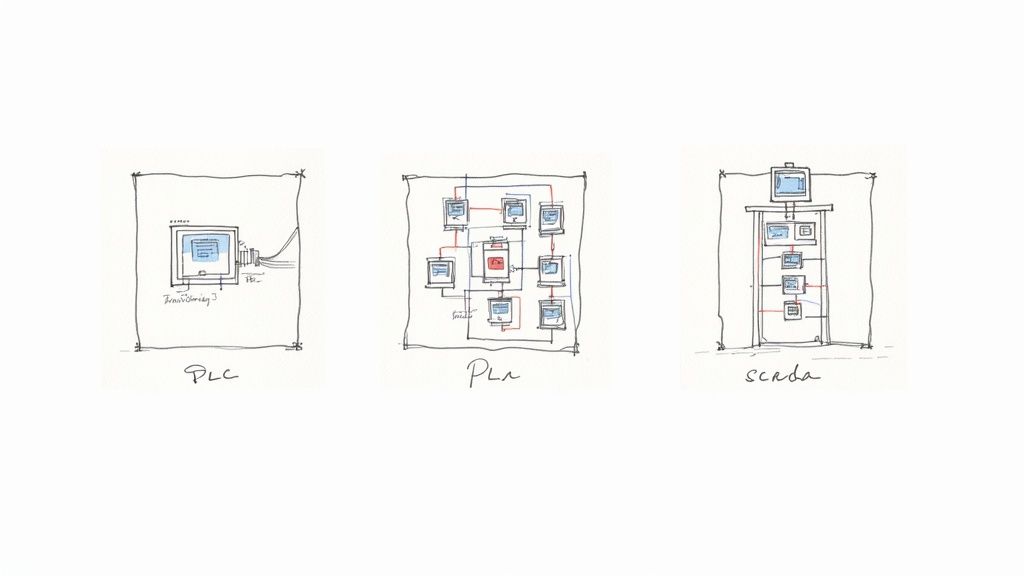
The most direct and common setup is centralized control, usually built around a single Programmable Logic Controller (PLC). Think of it as a "one-machine, one-brain" system. It's the go-to choice for self-contained, discrete manufacturing tasks where everything is happening in one spot.
A few classic examples include:
A single packaging machine that forms, fills, and seals boxes in sequence.
A CNC milling machine laser-focused on executing a specific cutting program.
An automated welding robot on an assembly line, repeating the same welds all day.
In this setup, one PLC is the undisputed boss. It takes in all the sensor data, runs the logic, and fires off all the commands. It’s simple, cost-effective for smaller jobs, and a lot easier to troubleshoot because you know exactly where to look.
Centralized control is the workhorse of machine-level automation. It excels at high-speed, self-contained tasks where simplicity and responsiveness are paramount.
Distributed Control Systems (DCS) for Plant-Wide Processes
But what happens when your "machine" is an entire plant? When you need to control a whole process spread across a massive facility, a single brain just won't cut it. That's where a Distributed Control System (DCS) steps in.
Instead of one central controller, a DCS uses multiple controllers, or "brains," distributed throughout the plant. Each one is responsible for a specific part of the process.
Picture a large oil refinery. You have separate processes for cracking, distillation, and treatment, all happening at once but all needing to work in perfect harmony. A DCS puts a dedicated controller at each of these stages. These local controllers handle their own business while reporting back to a central supervisory system, making sure the entire plant operates like a single, well-oiled machine. This design is also incredibly reliable—if one controller goes down, the whole plant doesn't grind to a halt.
SCADA Systems: The Control Tower View
Now, let's zoom out even further. What if you need to monitor and control operations spread across different sites, or even an entire state? This is the domain of a Supervisory Control and Data Acquisition (SCADA) system.
Think of SCADA as the "air traffic control tower" for your industrial operations. It doesn't usually get bogged down in the millisecond-by-millisecond control logic; it leaves that to the PLCs and DCS controllers out in the field.
SCADA's job is to:
Gather data from all your remote equipment and sites.
Display that data on a central HMI for a human operator.
Let the operator issue high-level commands, like turning on a pump station fifty miles away.
SCADA is the backbone of our modern infrastructure—it runs everything from municipal water systems and electrical grids to oil and gas pipelines. It gives you the 30,000-foot view you need to manage assets that are miles apart.
To make sense of these options, it helps to see them side-by-side. Each architecture is tailored for a specific type of job.
Control System Architectures Compared
Architecture Type
Best For
Key Feature
Typical Scale
PLC-Based (Centralized)
Discrete, high-speed, single-machine tasks.
A single, powerful controller manages a localized process.
Machine or work cell.
DCS (Distributed)
Complex, continuous processes across a single, large facility.
Multiple interconnected controllers, providing high reliability and redundancy.
Entire plant or large processing facility.
SCADA (Supervisory)
Monitoring and controlling geographically dispersed assets and facilities.
Centralized monitoring and high-level control over remote sites.
Multiple sites, region, or entire pipeline.
Ultimately, the goal is to match the architecture to the operational reality. A simple PLC is perfect for a single machine, a DCS is built for a complex plant, and SCADA is designed to give you command over a sprawling territory.
The Critical Role of Safety and Compliance
In industrial automation, it’s easy to get caught up in the drive for more speed and higher efficiency. But the real bedrock of any great control system isn’t how fast it runs—it’s how safe it is. Without a rock-solid commitment to safety standards and compliance, even the most sophisticated automation setup is just an accident waiting to happen.
This isn't just about ticking boxes for an inspector. It’s about protecting your people, your multi-million dollar equipment, and your entire operation from preventable disasters. You wouldn’t build a high-rise without following the building code to the letter, right? The exact same logic applies to industrial control panels. These standards are the collected wisdom of decades of engineering, specifically designed to prevent fires, electrical shocks, and catastrophic failures.
The Gold Standard: UL 508A
When we talk about control panel safety in North America, one name stands above the rest: UL 508A. This is the official standard for the construction of Industrial Control Panels. If you see a panel with the UL 508A Listed mark, it means it was designed and built to meet the tough safety requirements set by Underwriters Laboratories.
A UL 508A listing is far more than a simple sticker. It’s a third-party guarantee that the panel's design, components, and assembly meet strict safety and performance criteria. It gives inspectors, insurers, and the people on the floor total peace of mind.
This certification covers just about every part of the panel build, ensuring the final product is both safe and dependable. The standard gets very specific about:
Component Selection: It mandates using UL-recognized components that have already been tested for their intended use.
Wiring and Sizing: It lays out the exact rules for wire sizing, insulation types, and termination methods to stop overheating and electrical faults before they start.
Enclosure Integrity: It ensures the panel’s cabinet is correctly rated for its environment, protecting the sensitive electronics inside from dust, water, and corrosion.
Spacing and Layout: UL 508A dictates precise clearances between components to prevent dangerous short circuits and electrical arcing.
Following these rules isn’t optional. It’s how you build systems that don’t just work well, but are fundamentally safe.
A Complete Safety Framework
While UL 508A is the cornerstone for the panel itself, it doesn't exist in a vacuum. It’s part of a much larger ecosystem of codes and standards that govern the entire electrical installation.
The big one is the National Electrical Code (NEC), also known as NFPA 70. The NEC sets the ground rules for the safe installation of all electrical equipment and wiring in the U.S., from how conduit is run to how everything is properly grounded.
Another key piece of the puzzle is NFPA 79, the Electrical Standard for Industrial Machinery. This standard zeroes in on the electrical equipment of machines, making sure their control systems are safe for operators to work with day in and day out. Of course, you also have to think about power quality inside the panel. For example, knowing how a harmonic filter for VFD can stabilize the system is a crucial part of a truly comprehensive and safe design.
Together, these standards create a layered defense. Sticking to them isn't about navigating red tape; it's about building strong, reliable industrial automation systems that protect your most important assets—your people and your ability to produce.
A Practical Roadmap for Your Automation Project
Taking an industrial controls project from a bright idea on a whiteboard to a humming, productive system on your floor demands a clear, disciplined approach. You wouldn't build a house without a blueprint, a solid crew, and a final inspection, and automation is no different.
The journey is best navigated with a phased roadmap. This breaks the whole complex undertaking down into manageable chunks, each with its own goals and deliverables. It’s the secret to minimizing those costly surprises and keeping the project on track, on time, and on budget.
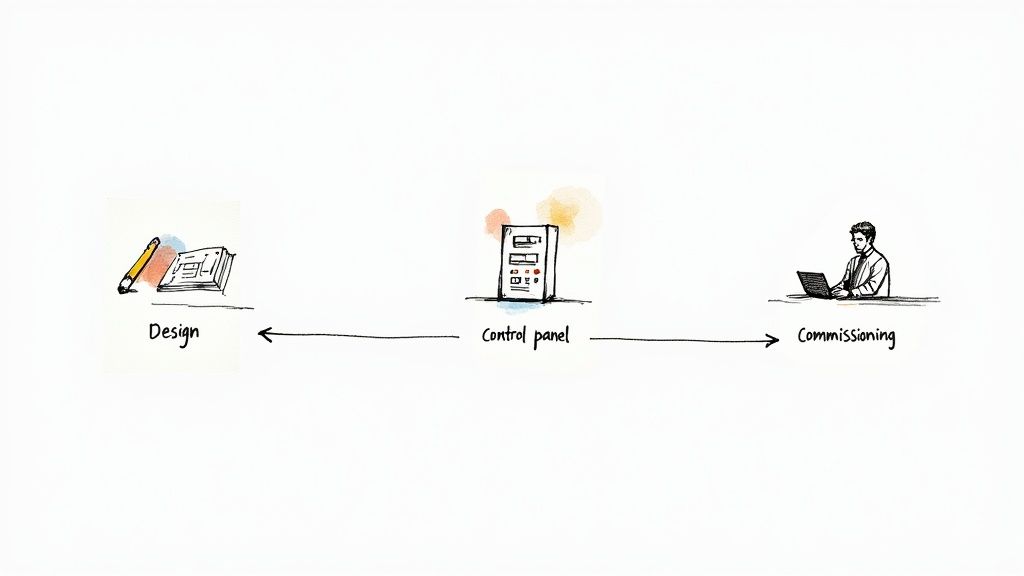
Phase 1: The Design and Engineering Stage
This is where it all begins, and honestly, it's the most critical part of the whole process. Getting the design right now saves a world of headaches and expensive changes later.
It all starts by getting crystal clear on the project's goals. What problem are we really trying to solve? Are we chasing higher throughput, tighter quality control, or a safer environment for our team?
Once the "why" is established, we get into the "how" with a detailed Functional Specification document. Think of this as the system's biography—it describes exactly how the system needs to operate, from every sequence and alarm to every button an operator will push. From there, engineers can draft the electrical schematics, the true blueprints of the control panel that map out every last component, wire, and connection.
Phase 2: The Build and Assembly Stage
With approved designs in hand, the project jumps from the screen to the shop floor. This is where skilled technicians take over, fabricating, wiring, and assembling the control panel. It's a game of precision where attention to detail is everything.
The build process typically looks like this:
Enclosure Layout: Components like PLCs, power supplies, and terminal blocks are physically placed inside the enclosure, ensuring everything fits while allowing for proper airflow and wiring paths.
Component Mounting: All the hardware gets securely bolted to the panel’s backplane, following the schematics to the letter.
Wiring and Termination: Technicians meticulously run every wire—cutting, labeling, and landing each one on the correct terminal. Following UL 508A standards here isn't optional; it's essential for a safe, compliant panel.
A well-built control panel is more than just functional; it's a work of art. Neat wire management, crystal-clear labels, and precise assembly aren't just for show—they make the panel far easier to troubleshoot and maintain for years to come.
Before the panel ever leaves the shop, it goes through a rigorous quality check to make sure the physical build perfectly matches the drawings.
Phase 3: The Commissioning and Startup Stage
This is the moment of truth when the system comes to life. Commissioning is the methodical process of testing and proving that every single part of the system works together as intended.
It often kicks off with a Factory Acceptance Test (FAT) right at the panel builder’s shop. This gives you, the client, a chance to see the panel powered up and test its core logic before it even ships—a massive risk-reduction step.
Once the FAT is signed off, the panel heads to your facility for installation. The commissioning team then gets to work:
I/O Checkout: Every sensor, switch, motor, and valve is checked, verifying the signal path from the field device all the way back to the PLC and out again.
Functional Testing: The system is put through its paces, running every operational sequence to confirm it behaves exactly as laid out in the functional spec.
Safety System Verification: All emergency stops, light curtains, and other safety circuits are tested relentlessly to ensure they perform flawlessly when it matters most.
The project wraps up with a Site Acceptance Test (SAT), where you formally sign off that the system meets every requirement. Pulling off these phases smoothly requires real-world experience, which is why partnering with the right team is so important. For more on what to look for, you can explore our guide on choosing an industrial automation system integrator.
Measuring the True Value of Your Investment
Any industrial controls automation project is a serious capital expense. Once the dust settles, you've got to prove it was worth every penny, especially if you want to secure funding for the next big thing.
This isn't just about ticking a box. It's about turning a necessary expenditure into a powerful competitive advantage by showing clear financial and operational wins. The trick is to measure what actually matters and translate those shop-floor improvements into the language everyone in the C-suite understands: money.
Beyond the Price Tag: Calculating True ROI
The most straightforward way to justify the project is to calculate the Return on Investment (ROI). But a common mistake is only comparing the upfront cost to direct labor savings. A real ROI calculation for automation goes much deeper, accounting for a whole range of benefits that hit the bottom line.
To build a compelling business case, you need to track the specific Key Performance Indicators (KPIs) that your new automation system directly impacts. This hard data moves the conversation away from "cost" and firmly into "investment" territory.
Here are the big ones to watch:
Increased Throughput: How many more widgets are you making per hour or per shift? It's the cleanest measure of a productivity boost.
Reduced Material Waste: Precision automation means fewer mistakes and less scrap. Tracking this reduction is a direct line to cost savings.
Decreased Downtime: How much less time are you spending on unplanned shutdowns? Every minute a line is down, money is walking out the door.
Improved Quality: Look at the drop in product rejection rates or customer returns. Better quality means fewer costly recalls and warranty headaches.
The Gold Standard: Overall Equipment Effectiveness (OEE)
If you want one single metric that tells the whole story, it's Overall Equipment Effectiveness (OEE). OEE is the gold standard for measuring manufacturing productivity because it rolls three critical factors into one clean score, giving you a powerful, holistic view of your operation's health.
OEE essentially measures how much of your planned production time is genuinely productive. A world-class OEE score is 85% or higher, but honestly, many facilities start much lower. That just means there's a massive opportunity for improvement with automation.
OEE is calculated by multiplying three core components:
Availability: This tracks any event that stops planned production—think equipment failures or material shortages. An Availability score of 100% means the process ran without any stop-loss during its planned time.
Performance: This accounts for anything that makes the process run slower than its theoretical top speed, like micro-stops or reduced-speed cycles. A 100% Performance score means you're running as fast as theoretically possible.
Quality: This one's simple—it tracks defective parts, including those that need to be reworked. A 100% Quality score means you're producing nothing but good parts.
By tracking your OEE score before and after the automation project goes live, you create an undeniable, data-driven narrative of success. It transforms the value of industrial controls from an abstract idea into a concrete, measurable business achievement.
Got Questions About Industrial Controls? We’ve Got Answers.
Diving into industrial controls automation can feel like learning a new language. You’ve got the big picture, but the devil is always in the details. Let's tackle some of the most common questions that come up when people are moving from theory to the factory floor.
Core Technology and Project Timelines
What’s the real difference between a PLC and a DCS?
It's a classic question. Think of it like this: a PLC (Programmable Logic Controller) is a highly specialized sprinter. It’s built for one primary job—controlling a specific machine or a small, self-contained process with lightning-fast reflexes and rock-solid reliability.
A DCS (Distributed Control System), on the other hand, is the plant’s quarterback. It’s designed to see the whole field, managing and coordinating large, sprawling, continuous processes. A DCS brings all the individual plays together into one unified, plant-wide strategy.
How long does an industrial automation project actually take?
That's the million-dollar question, and the honest answer is: it depends entirely on the scope. A straightforward control panel for a single machine? We could be looking at just a few weeks from design to commissioning.
But if you're talking about a full-scale system integration across your entire facility, you’re in for a longer haul. These projects can easily take many months, sometimes even over a year, once you factor in equipment lead times, custom software development, and the crucial design and engineering phase.
The bottom line: Project timelines are a direct reflection of complexity. Small, well-defined jobs are quick wins. Large, multi-system integrations are a marathon, not a sprint, requiring a detailed roadmap from day one.
Compliance and Modernization
Why is everyone so insistent on a UL-listed control panel?
It’s all about safety and accountability. A UL-listed control panel isn't just a fancy sticker; it's your proof that the panel has been built to meet rigorous safety standards tested by an objective third party, Underwriters Laboratories.
This certification is your ticket to passing inspections, satisfying insurance requirements, and protecting your people and equipment from fire and electrical hazards. In most places, it's not a "nice-to-have"—it's a non-negotiable requirement.
Can I actually put modern controls on my old machinery?
Absolutely, and it’s one of the smartest moves you can make. This is called a retrofit, and it's a super common and cost-effective way to modernize.
We see it all the time: a machine is mechanically sound—the "bones" are good—but the controls are from a different era. By swapping out the old relays and timers for modern PLCs, HMIs, and sensors, you get all the benefits of automation—better data, higher efficiency, improved safety—without the massive capital expense of buying a brand-new machine. The first step is always a deep-dive assessment of the existing equipment to build a solid game plan.
Turning these concepts into a reliable, high-performing system takes a partner who knows both the parts and the process inside and out. At E & I Sales, we deliver complete integration services, from custom UL control panel design to full system commissioning, making sure your project is built right, fully compliant, and ready to perform.